
PDXpert PLM Software
Install Guide
PDXpert 17.0 release notes (change history)
Published updates in the PDXpert 17.0 series software (all dates are UTC).
◄ PDXpert PLM 16.1 • PDXpert PLM 18.0 ►
Before upgrading: Read all release notes published from your current release to this new release.
After upgrading: For correct operation, review allAfter upgrading instructions shown in these release notes.
Although all PDX package features are available, some are shown only after upgrading to the latest PDXplorer release.
API support module is added to the core application to enable the new
 application to expose REST APIs for PDXpert data. The APIs are intended to provide automation support for integration with ERP, MRP, CAD, PDM and other external applications.
PDXpert Web Services API: Read all documentation related to the API Application to learn about capabilities and terms. Released as Beta.
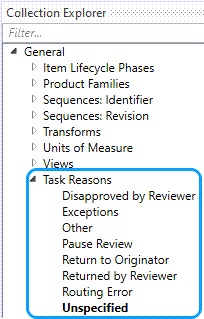
Task Reasons Collection is included in the General section of the Collection Explorer. The Task Reasons is customizable and the list becomes available in the Task Reasons drop down in User Tasks.
 [f46ff3b, 77b9c37, 98865a2, 323a02f]
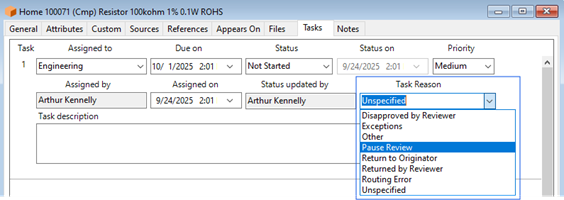
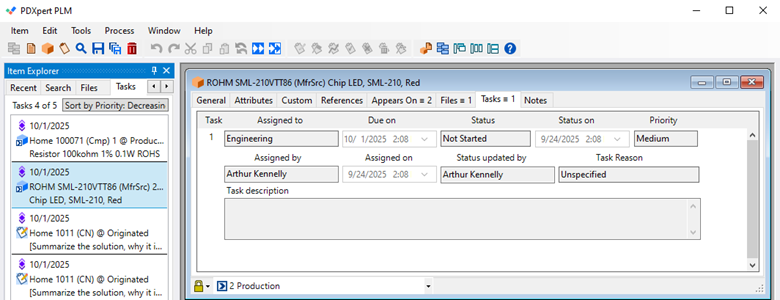
The User Taskswill display The Task Reasons drop down with the selections from the Collection. The selected value is saved for the task and can be used for tracking and analysis. Some examples are shown here:
 [3c8eb75, 691844f]
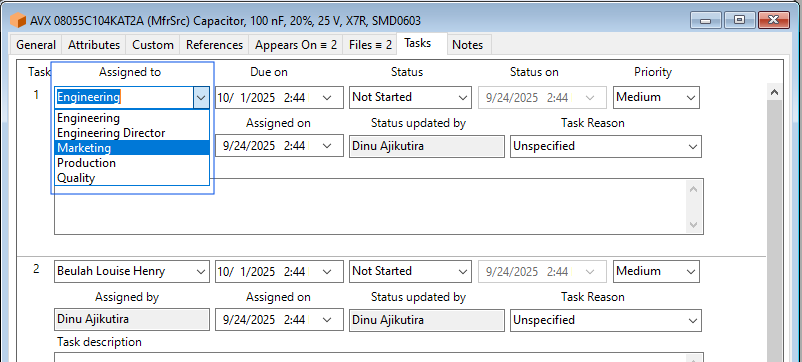
The Groups collection can now be assigned a Task. The Task assigned to a Group will notify all Personsin the Group, and any of the Person in the Group can complete the Task.
 [3c8eb75]
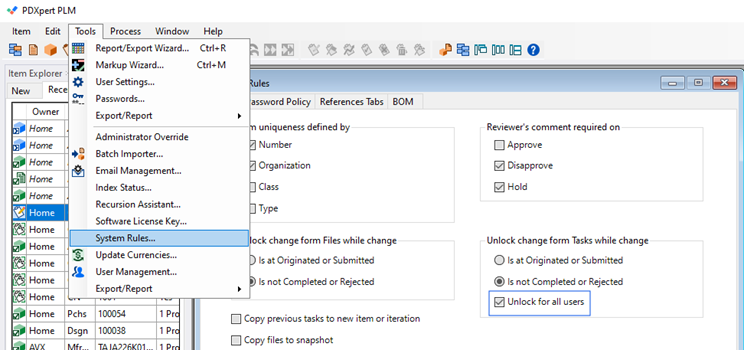
New System Rules setting Unlock for all users under the Unlock change form Tasks while change group allows all users to add tasks on Change Notice.
 [068a6ac, 13aa7f3, b4ba7fe]
Double clicking on Tasks notification will open the Part or Document on the Pending revisions Task Tab.
 [fe4d6d4, 0371c97, 3a0362e, 4efb5c5, e3a567d, c436d04]
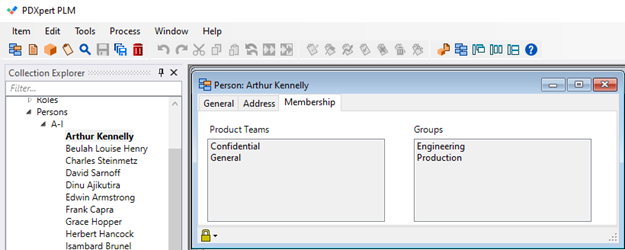
Persons member form, under the Membership tab, now shows the list of Groups and Product Team the Person is included in.
 [425cf18, 690a1f3]
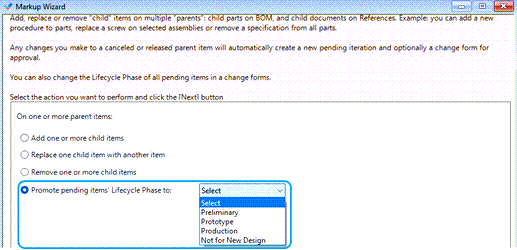
Markup Wizard has new option to advance Lifecycle of affected items in selected Change forms. This feature is only available forAdminstrators and Analysts.
 [de68b22, 0231bd8, 6d8170b, eb6663a, f321c92]
Improved access permissions for Change forms.
The Role must have View released and optionally View unreleased permission checkboxes selected for the user to view Change forms.
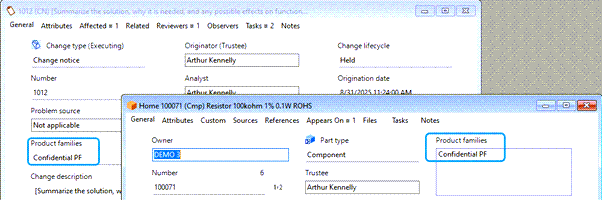
Users in Denied Access list in Product Family which is added to an item in the Change's affected item list will prevent user from viewing the Change.
Product families from affected items are inherited by Change.
 [ddb70a3]
Permission to export a PDX package of Parts, Documents and Change forms where the Person is in theProduct Family's Denied Access of a dependent item, such as a sub-assembly, reference or affected item, is denied.
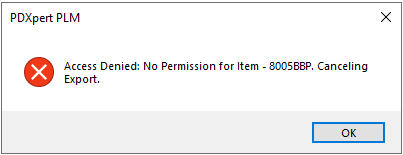 [a9e394f]
After a reviewer moves a Change Notice from Routed to Held state (path 16), the named Analyst and the Holding reviewer will see the Held System task in their Task list. The named Analyst can move the Change back to Routed.
Password reset is required upon first log in for new users with authentication managed in PDXpert.
View / Hide Password button is improved to respond to user clicks.
A correction to prevent adding an item to a third Change Notice is implemented. In the rare scenario, immediately after the first Change with the affected item is moved from paused at Release to Completed, while the second Change with the same affected item is in Routed state, the same item could be added to a third Change. This issue is corrected.
Right clicking on theTask notification brings the Export/Report contextual menu, which lists only the reports available to the user based on the Role settings.
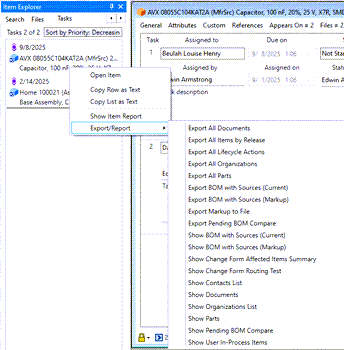 [ab69859, 7395374]
| Installer | Scan results |
|---|---|
| PDXpertClientSetup.exe | www.VirusTotal.com |
| PDXpertClientSetupMPx64.msi | www.VirusTotal.com |
| PDXpertSystemSetup.exe | www.VirusTotal.com |