
PDXpert PLM Software
Install Guide
PDXpert 18.0 release notes (change history)
Published updates in the PDXpert 18.0 series software (all dates are UTC).
Additional release notes for companion products appear below this page's PDXpert 18.0 installer scans: PDXpert SolidWorks Add-In and PDXpert WebAPI.
Before upgrading: Read all release notes published from your current release to this new release.
After upgrading: For correct operation, review all After upgrading instructions shown in these release notes.
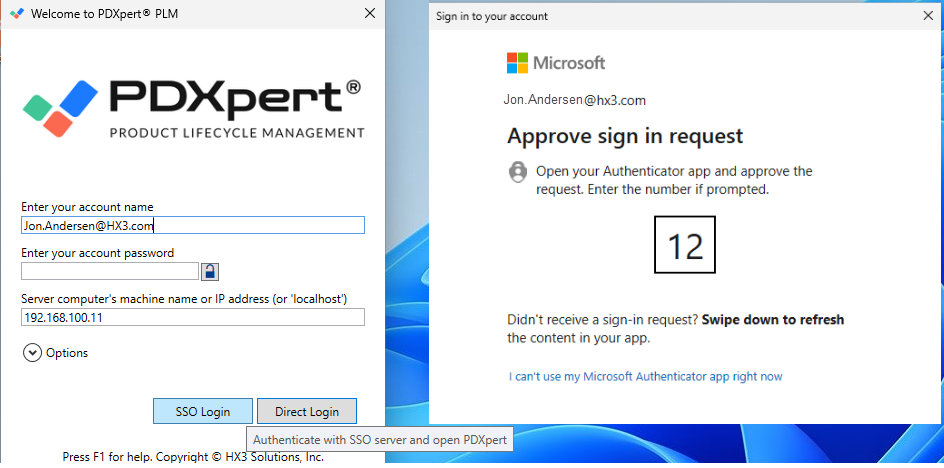
Single Sign On (SSO) support for corporate login using Entra or Okta identity servers. See note 1. [881536b, a628fb3, 85f69ed, b62d418]
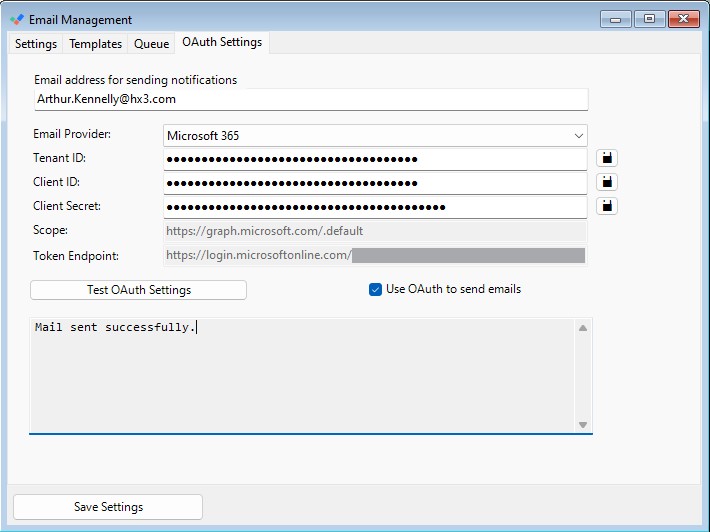
PDXpert email delivery supports OAuth in addition to SMTP. Administrators can configure provider credentials, test OAuth settings, and switch between OAuth and SMTP as needed. [c992d2a, bde3589, 8da642f]
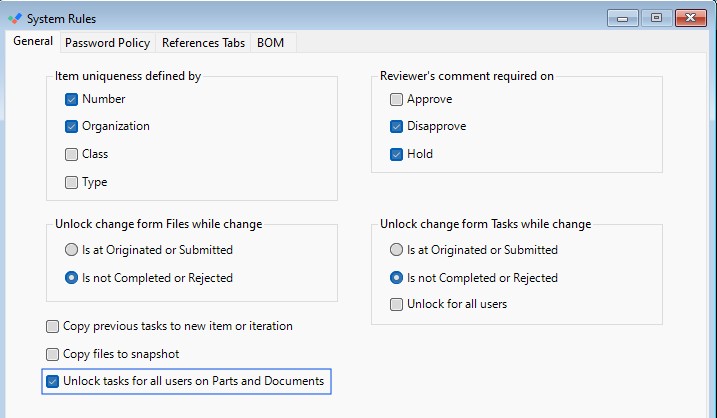
New System Rules setting Unlock tasks for all users on Parts and Documents. This allows all users to assign tasks and delete tasks they assigned on Pending revisions.
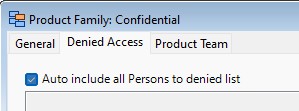
New option Auto include all Persons to denied list on Product Families denied-access controls. [66ee2e, 3fef85]
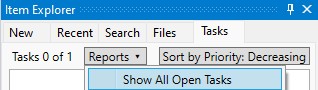
TaskList reports are available in the Tasks pane in Item Explorer. User transforms with TaskList as Location appear in the Reports drop-down list on the Tasks tab, enabling task views by priority or other criteria. [e80464]
New option Hide tool tips for Affected Items on Tools ? User Settings. [6ff07b, d78d9]
The Task Reasons value can only be changed by the assigning user, or by users in the Administrator or Analyst role. [4dcf0f]
7-Zip dependency updated to eliminate known vulnerability and related security risks. See PCWorld summary for context. [e5f01f, 11035a, 1bcb7a]
Image management update to remove moderate vulnerability. [501e0e9, d4eeb4]
| Installer | Scan results |
|---|---|
| PDXpertClientSetup-18_0_4206_7.exe | www.VirusTotal.com |
| PDXpertClientSetupMPx64-18_0_4206_7.msi | www.VirusTotal.com |
| PDXpertSystemSetup-18_0_4206_7.exe | www.VirusTotal.com |
Before installing: Ensure SolidWorks 2025 is installed on the client machine. Contact support@hx3.com if assistance is required.
After installing: Start SolidWorks, select PDXpert AddIn from settings to start when SolidWorks starts, restart SolidWorks, and wait for initialization actions (including 3D Experience connections, if enabled) before using the AddIn.
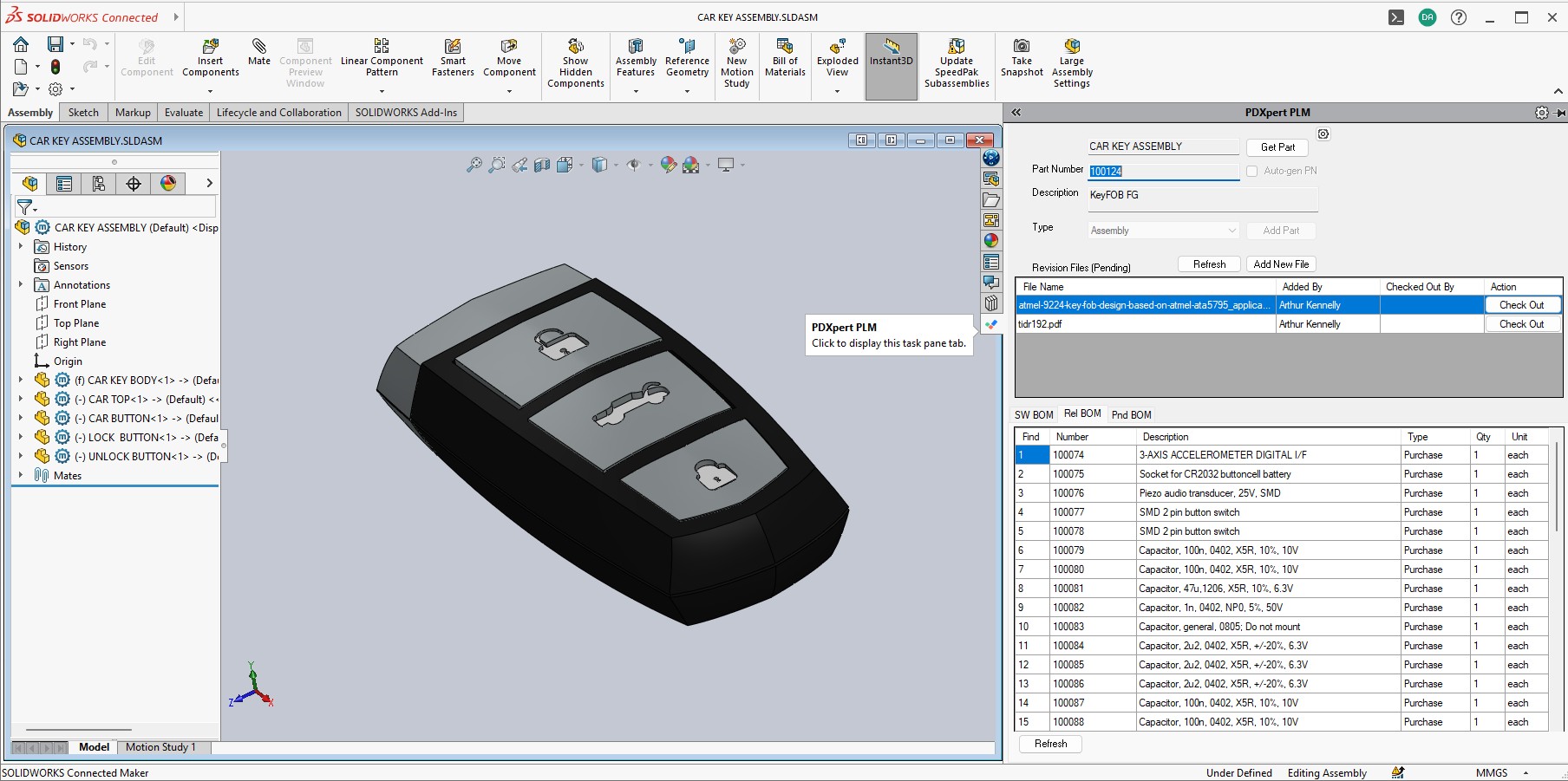
The PDXpert SolidWorks Add-In brings core PDXpert PLM actions into SolidWorks to reduce context switching and improve in-tool execution.
Integrated access to PDXpert item and file operations from the SolidWorks environment. [394de7, 2ae278c]
Support for revision-aware workflows aligned with PDXpert rules for parts, documents, and file attachments.
Packaging version aligned with Standard PDXpert PLM and PDXpert WebAPI for compatibility.
SolidWorks BOM Table not showing Type. [3fcc487]
Request the SolidWorks Add-In installer and documentation:
| Installer | Scan results |
|---|---|
| PDXpertAddIn.SolidWorks.Installer.exe | www.VirusTotal.com |
| PDXpertAddIn.SolidWorks.Setup.msi | www.VirusTotal.com |
PDXpert WebAPI provides self-hosted REST API access to your PDXpert PLM data for Parts, Documents, BOMs, Changes, RevisionFiles, and ItemFiles.
Deployment follows a reference Windows Server + IIS layout with install path C:\inetpub\PDXpert_WebAPI\, backend ServerName configuration in web.config, and token-based session behavior suited to integration clients.
PDXpert WebAPI requirements and installer:
Disposed sessions are removed safely to prevent returning a disposed session when Refresh session is called after Remove session. [faef9d]
Resolved Microsoft.Bcl.Memory high severity vulnerability. [abbb7c, 0127461]
Updated expired sessions cleanup to prevent memory leaks when an error occurs during garbage collection of expired sessions. [46385b]
| Installer | Scan results |
|---|---|
| PDXpert_PLM_WebAPI_Installer_18_0_4206_7.exe | www.VirusTotal.com |
| PDXpertWebApi_Setup_18_0_4206_7.msi | www.VirusTotal.com |
Notes
Test Okta thoroughly before deploying. Due to Okta account and environment restrictions, our own Okta testing is limited. Validate the full SSO login flow with your Okta configuration before production use.